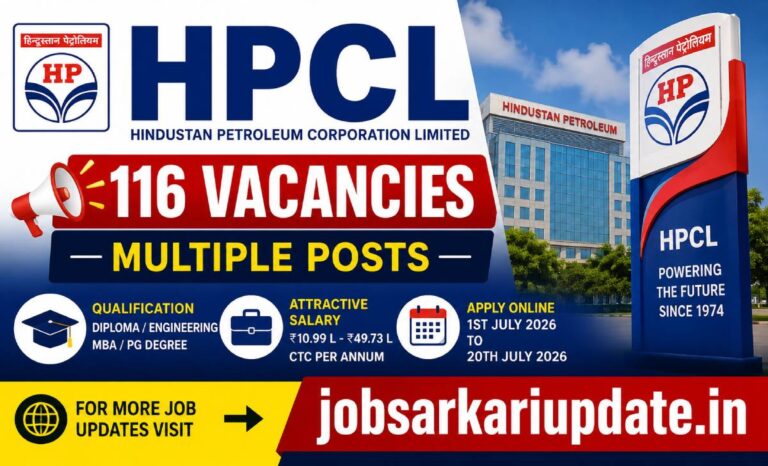
HPCL Officer Recruitment 2026 - Quick Summary: HPCL has released 116 vacancies for Officer positions across freshers and experienced professional...
Read Full DetailsPM Internship Scheme 2026 – Apply Online, Eligibility & Benefits
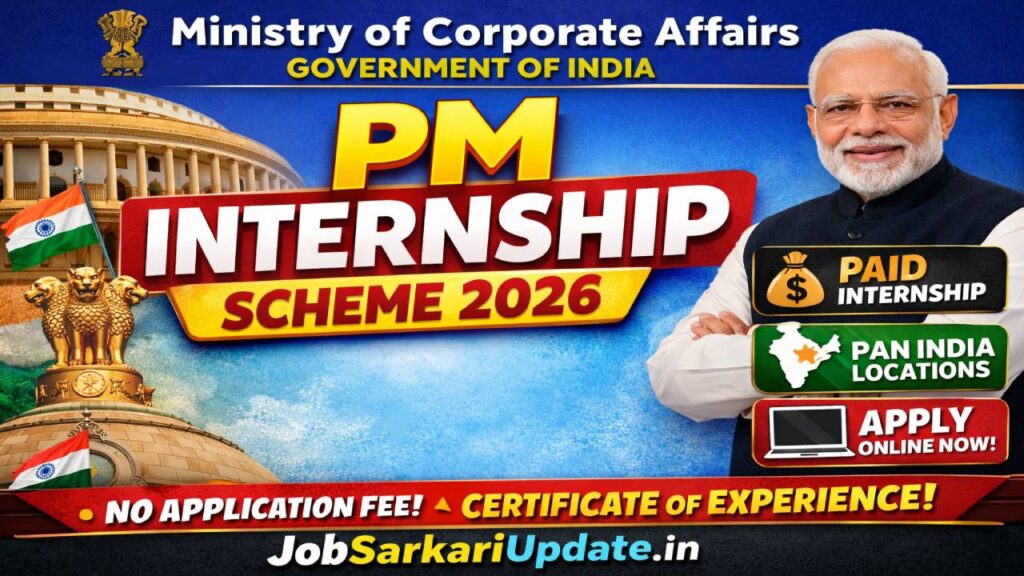
PM Internship Scheme 2026 – Apply Online for Paid Internships in Top Companies
The PM Internship Scheme 2026 Apply Online window is now active on the official PMIS portal, managed by the Ministry of Corporate Affairs, Government of India. This flagship scheme gives young Indians aged 21 to 24 an unmatched opportunity to work inside some of India’s largest and most reputed private sector companies — gaining real industry experience while receiving a monthly financial assistance that goes well beyond a token training allowance.
Unlike traditional government internship programmes that are limited to a single department or city, the PM Internship Scheme operates on a rolling model. This means companies continuously post new internship opportunities throughout the year with defined start and end dates — so candidates are not limited to a single application window. If you miss one opportunity, you can apply to the next batch without waiting for an annual cycle.
The scheme is particularly relevant for candidates who have completed 10th, 12th, ITI, Diploma, or Graduation but are struggling to break into the formal job market due to a lack of professional experience. By interning inside top companies under this scheme, candidates build a verified, government-backed work credential that significantly strengthens their employment profile.
This programme was made available to candidates in 2024–25 and continues in 2026 with expanded company participation. Competition for popular roles at well-known companies is expected to be strong, particularly in sectors like Information Technology, Banking, FMCG, and Infrastructure. Candidates who apply early, complete their profile 100%, and understand the selection process will have a clear advantage over those who rush at the last moment.
Key Highlight: There is no application fee on the PMIS portal. Registration, e-KYC, and internship applications are completely free of charge.
Recruitment Overview – PM Internship Scheme 2026
The table below summarises the key recruitment details for the PM Internship Scheme 2026 as documented in the official user manual published by the Ministry of Corporate Affairs. The Ministry of Corporate Affairs (MCA) is one of India’s most credible regulatory bodies overseeing corporate governance, company law, and business compliance for thousands of companies operating in India. Its backing gives this internship scheme significant weight with employers, making the experience certificate issued after successful completion genuinely valuable in the job market.
| Field | Details |
|---|---|
| Organisation Name | Ministry of Corporate Affairs, Government of India |
| Scheme Name | Prime Minister Internship Scheme (PMIS) |
| Advertisement No. | Not mentioned in official notification. Candidates are advised to check the official notice for updates. |
| Model | Rolling Model (Internships posted continuously year-round) |
| Job Location | Pan-India (multiple states and districts, location-based filtering available) |
| Job Type | Paid Internship (In-Person / Hybrid / Online, as per company posting) |
| Application Mode | Online only — through the official PMIS portal |
| Application Fee | Nil (No fee for any category) |
| Official Portal | pminternship.mca.gov.in |
Important Dates – PM Internship Scheme 2026
Since the PM Internship Scheme operates on a rolling model, there is no single fixed start or end date for all internships. Individual companies post their own application start dates, application end dates, and internship duration independently. Candidates will find these specific dates mentioned on each internship listing card on the portal. Based on the official manual, one example listing showed an application start date of 06 March 2026 and an end date of 22 March 2026 for a 6-month internship — which gives you a sense of how tight the application windows can be.
This is precisely why applying in the very first week after a new internship is posted is so critical. Companies actively review applications as they come in, and early applicants tend to get more attention than those who apply in the final hours. More importantly, once a company’s seat count is filled, the portal closes applications automatically regardless of the stated end date.
| Date Event | Status / Details |
|---|---|
| Portal Open (Rolling) | Active — new internships posted regularly by partner companies |
| Application Start Date | Varies by internship listing (shown on each internship card) |
| Application End Date | Varies by internship listing (shown on each internship card) |
| Offer Acceptance Deadline | Within 14 days of receiving the offer letter |
| Offer Switch Window | Within 15 days of accepting the first offer (if 2 offers received) |
| Joining Grace Period | 14 days after the reporting date mentioned in the offer letter |
| Internship Duration | Typically 6 to 9 months (as posted by each company) |
| Exam Date | Not applicable — no written exam for this scheme |
| Result Date | Not applicable — selection is done by the company directly on the portal |
Note: All dates are subject to change. Always verify the specific application dates for each internship listing directly from the official PMIS portal before taking any action. This content is for informational purposes only.
Application Fee – PM Internship Scheme 2026
One of the most refreshing aspects of the PM Internship Scheme 2026 is that it charges absolutely no application fee — for any category of candidate. Whether you belong to the General category, OBC, SC, ST, or EWS, the cost of registering and applying on the PMIS portal is zero. There is no fee for e-KYC, no fee for profile creation, and no fee for submitting internship applications. The official manual explicitly states: “There is no registration or application fee on the PMIS portal.”
| Category | Fee Amount | Payment Mode |
|---|---|---|
| General / OBC / SC / ST / EWS / PwD | ₹0 (Nil) | Not applicable |
Common Mistake to Avoid: Several fraudulent websites and WhatsApp forwards claim that candidates must pay a “registration fee” or “processing fee” to apply for the PM Internship Scheme. This is completely false. The PMIS portal is free to use. Never pay anyone claiming to register you for this scheme on your behalf.
Age Limit – PM Internship Scheme 2026
The PM Internship Scheme targets young Indians who are at the start of their professional journey. Based on the eligibility criteria outlined in the declaration section of the official application form within the manual, candidates must not be in full-time employment or full-time education at the time of applying (with the exception of final year graduates and post-graduates). This indicates the scheme is designed for those between approximately 21 and 24 years of age — primarily those who have recently completed their education and are looking for their first professional exposure.
How to check if you qualify by age: If you completed your graduation in 2023 or 2024 and are currently not employed full-time, you are likely within the target age bracket. For example, a candidate who completed a 3-year B.Com degree in 2024 at age 21 would be approximately 22 in 2026 — well within the intended eligibility window.
| Category | Minimum Age | Maximum Age | Relaxation |
|---|---|---|---|
| All Categories | Not mentioned in official notification. Candidates are advised to check the official notice for updates. | Not mentioned in official notification. Candidates are advised to check the official notice for updates. | Not mentioned in official notification. Candidates are advised to check the official notice for updates. |
The official user manual does not state specific minimum and maximum age figures. Candidates are strongly advised to refer to the official PM Internship Scheme Guidelines document available on the PMIS portal’s Guidelines section for the exact age limit before applying.
Eligibility Criteria – Who Can Apply for PM Internship Scheme 2026
Understanding the eligibility criteria is crucial before spending time completing your profile and e-KYC on the PMIS portal. The official declaration form that every candidate must submit at the time of application contains a clear list of conditions that must be met. Below is a plain-language explanation of each eligibility condition, translated directly from the official declaration points in the manual.
| Condition | Eligibility Rule |
|---|---|
| Family Employment | None of your family members (self, spouse, or parents) should be a permanent/regular government employee |
| Family Income | Income of none of your family members (self, spouse, or parents) should have exceeded ₹12 lakh for FY 2024–25 |
| Employment Status | You must not be in full-time employment on the date of submitting the application |
| Education Status | You must not be in full-time education — except final year graduates and post-graduates who are eligible |
| Institutional Background | You must not have graduated from IITs, IIMs, National Law Universities, IISER, NIDs, or IIITs |
| Other Schemes | You must not be undergoing any skill, apprenticeship, internship, or student training programme under Central or State Government schemes |
| Professional Qualifications | You must not hold CA, ICMA, CS, MBBS, BDS, MBA, or PGDM/PGP qualifications |
| Apprenticeship History | You must not have completed apprenticeship training under NAPS or NATS at any point |
| Educational Qualification (per post) | 10th pass, 12th pass, ITI, Diploma, Graduation, or Post-Graduation — varies by internship listing |
Are Final Year Students Eligible?
Yes — final year students pursuing Graduation or Post-Graduation are explicitly eligible to apply under the PM Internship Scheme 2026. The portal even has a dedicated “Final Year (Currently Pursuing)” option in the educational qualification form. If you are in your final year, you will need to upload your most recent semester marksheet and enter your expected year of completion as the current year or a future year. This is one key advantage of this scheme over many traditional government recruitments that require completed degrees only.
Most common eligibility mistake: Many candidates assume that having a family member who works in a private company disqualifies them. This is incorrect. The restriction applies only to permanent or regular government employees — not private sector employees. Read the family income and employment conditions carefully before deciding not to apply.
Vacancy Details – PM Internship Scheme 2026
The PM Internship Scheme does not follow a fixed total vacancy announcement the way traditional government recruitments do. Instead, each participating company posts individual internship opportunities with their own seat count (listed as “No. of Opportunities” on each internship card). From the example listings visible in the official manual, individual postings have ranged from as few as 2 opportunities (e.g., Pfizer’s Quality Assurance Intern) to as many as 20 opportunities (e.g., a Loan Assistant role) in a single listing.
The PMIS portal shows companies across diverse sectors including Information Technology, Infrastructure and Construction, Human Resources, Agriculture, Consulting, FMCG, Finance and Accounting, and more. This diversity is a major advantage — candidates who are flexible about sector and location will find far more opportunities than those who restrict their search to a single field.
From a competition standpoint, postings from well-known brands like IBM, Pfizer, Tata Consultancy Services, and Avanti Feeds tend to attract significantly more applicants than smaller partner companies. If you are looking to maximise your chances of selection, consider applying to lesser-known but equally reputable companies in your preferred sector — where the candidate-to-seat ratio will be considerably more favourable.
| Aspect | Details |
|---|---|
| Vacancy Structure | Per-company, per-posting (no single total announced) |
| Vacancy Range (per posting) | 2 to 20+ opportunities per internship listing (as per examples in manual) |
| Category-wise Breakup | Not mentioned in official notification. Candidates are advised to check the official notice for updates. |
| Sectors Available | IT, Infrastructure, FMCG, Finance, HR, Agriculture, Consulting, Distribution, and more |
| Max Active Applications Allowed | 3 at any one time per candidate |
| Max Active Offers Allowed | 2 at any one time — but only 1 can be accepted |
Selection Process – PM Internship Scheme 2026
The PM Internship Scheme 2026 does not follow the multi-stage written exam model typical of government jobs like SSC or banking. Instead, the selection process is driven entirely by the participating company and managed through the PMIS portal in a transparent, system-governed manner. Here is every stage explained in plain language.
Stage 1 – Profile Completion and e-KYC
Before you can even apply, your profile on the PMIS portal must be 100% complete and your identity must be verified through e-KYC using either your Aadhaar card (OTP-based verification) or your DigiLocker account. Without completing e-KYC, you cannot view the full internship description and the “Apply Now” button remains locked. Make sure your Aadhaar-linked mobile number is active and accessible before you begin — the OTP for e-KYC is sent to your Aadhaar-registered number, not your PMIS-registered number.
Stage 2 – Application Submission
Once your profile is complete, you can apply to any open internship using the “Apply Now” button. You can apply to a maximum of 3 active internships at any one time. The portal will alert you if your academic background does not fully match the internship’s stated requirements — but you can still apply. You also have the option to upload a short introduction video (30–45 seconds, up to 10 MB) at this stage, which can significantly improve your chances if the company reviews it during shortlisting.
Stage 3 – Shortlisting and Waitlisting by Company
After submission, the company’s HR team reviews applications on the portal. Your application status will update to one of several states: Applied, Shortlisted, Waitlisted, Selected, or Not Shortlisted. You can track these status changes in real time through your Candidate Dashboard. There is no written test at this stage — the company shortlists based on your profile, qualifications, skills, and the introduction video if uploaded.
Stage 4 – Offer Letter and Acceptance
If the company selects your application, an offer letter is generated on the PMIS portal. You will receive a congratulatory notification on your dashboard and can view the letter under the “View Letter” button. You have exactly 14 days from the date of the offer to accept it — failing which, the offer will automatically lapse. Always read the entire offer letter carefully before accepting, paying close attention to the reporting date, location, and any pre-joining document requirements.
Stage 5 – Joining and Internship
After accepting the offer, you must report on or before the date mentioned in the offer letter. If you are unable to join on that date, you have a 14-day grace period. If you still do not join within this grace period, the system automatically marks you as “Did Not Report (DNR)” on the 15th day — and this has consequences for future participation. Once you join, the company manages your internship progress on the portal. Completing the internship successfully earns you a verified internship certificate — a document that carries genuine weight with future employers.
Finishing this internship is more than just a line on a resume. It demonstrates to future employers that you survived a real industry environment, met professional deadlines, and earned a government-verified credential — something that sets you apart in an increasingly competitive job market. Begin your preparation from day one of your internship and treat every task with the same seriousness you would give a full-time job.
Exam Syllabus & Pattern – PM Internship Scheme 2026
Important Note: The PM Internship Scheme 2026 does not involve any written examination. Selection is based entirely on your profile, educational qualifications, skills, and the company’s internal shortlisting process. There is no syllabus, no exam pattern, and no negative marking associated with this scheme. The official user manual makes no mention of any competitive examination. Do not rely on any unofficial sources claiming to provide a “PMIS exam syllabus” — no such document exists for this scheme.
Salary, Stipend & Financial Benefits – PM Internship Scheme 2026
The PM Internship Scheme provides financial assistance to selected interns through a combination of government-funded stipend and company-funded benefits. Understanding how this stipend and salary per month works is one of the most searched topics about this scheme — and the details are more generous than most candidates expect.
Based on the example internship listing shown in the official manual (a Pfizer Quality Assurance Intern role), the total financial assistance mentioned was ₹14,000 per month, along with subsidised meal benefits, transportation support of ₹7,002, and recreational facilities. Another example listing for a Loan Assistant role showed an additional financial assistance amount of ₹900 per month with free meal benefits, transportation, and accommodation.
It is important to understand that the financial assistance amount varies by company and role. Some companies provide accommodation and transport in addition to the monthly allowance, while others may offer only the base government stipend. Candidates should check the “Benefits” section on each individual internship listing card carefully before applying.
| Benefit Type | Details |
|---|---|
| Government Stipend (DBT) | Transferred directly to bank account via Aadhaar seeding (NPCI/NACH mechanism) |
| Total Monthly Assistance (example) | ₹14,000/month (as per Pfizer listing example in manual) |
| Transportation Support (example) | ₹7,002/month (company-funded, as per example) |
| Meal Benefits | Subsidised or free — varies by company listing |
| Accommodation | Provided or not — varies by company listing (some provide, some don’t) |
| Internship Certificate | QR-verified digital certificate issued after completion |
| Insurance | Apply Insurance option available on portal (applicable once internship begins) |
| Pay Level / Grade Pay | Not applicable — this is an internship scheme, not a government service appointment |
On career growth and comparison: This is not a government job — so terms like “pay level” or “promotion timeline” do not apply. However, completing a PMIS internship at a large company is comparable in professional value to completing a campus placement at a Tier-2 institution. The experience, the certificate, and the company name on your CV open doors that a simple degree certificate cannot. Many interns have gone on to receive full-time job offers from the same company or used the PMIS certificate to clear the experience barrier in competitive government recruitment processes.
How to Apply Online – PM Internship Scheme 2026 Step by Step
Knowing how to apply for PM Internship Scheme 2026 on the PMIS portal is the most critical piece of information for first-time applicants. The process is entirely online and requires no physical documents to be sent anywhere. Follow these steps exactly as described in the official candidate journey manual.
- Visit the PMIS Portal: Open your browser (Chrome, Edge, or Firefox recommended) and navigate to the official PM Internship Scheme portal. The URL is listed on the official MCA website — do not use third-party links.
- Register as a New User: Click the “Login / Register” button at the top-right corner of the homepage. Select “New User / Register Now.” Enter your 10-digit mobile number, provide consent by ticking the checkbox, and click Submit. Enter the OTP received on your mobile and submit it.
- Create Your Password: Create a strong password that is at least 8 characters long and includes at least one uppercase letter, one lowercase letter, one digit, and one special character (example: PassWord@2026). You will be redirected to the Explore Internships page after successful registration.
- Complete e-KYC (Mandatory): Go to “My Profile” and complete identity verification. You can choose between Aadhaar-based e-KYC (OTP on Aadhaar-linked mobile) or DigiLocker-based verification. e-KYC unlocks the full internship description and the Apply button. Without this step, you cannot submit any application.
- Fill Your Profile (100% Completion Required): After e-KYC, complete your Personal Details (name, category, address, contact), Educational Qualifications (add all degrees in chronological order starting from Class 10), and Skills & Languages. Upload your marksheets and certificates for each qualification. Your profile must show 100% completion before the Apply button becomes active.
- Search and Select an Internship: Go to “Explore Internships.” Use filters for State, District, Sector, and Field to narrow your search. You can view internships on a map view or a grid view. Compare up to 3 internships side-by-side before deciding. Click “View Details” to read the full description once e-KYC is complete.
- Apply and Submit Declaration: Click “Apply Now” on your chosen internship. A confirmation screen will appear — click “Yes” to proceed. You may optionally upload a short introduction video (30–45 seconds, up to 10 MB). After confirming, you will be redirected to a declaration form. Read all 10 declaration points carefully, tick the consent checkbox, and click “Submit.” You will see a success confirmation with your PMIS Application ID.
Pre-Application Checklist
- Aadhaar card with linked and active mobile number
- Marksheets/certificates for Class 10, Class 12, and all higher qualifications
- Active email ID (OTP verification required)
- 6-digit PIN code of your current residential address
- Bank account details (for Aadhaar seeding / DBT payment)
- A short introduction video file ready (optional but recommended)
- Stable internet connection throughout the application process
3 Most Common Application Mistakes to Avoid:
- Entering qualifications out of order — always start from Class 10 and work upward. The portal tracks your academic progression and an out-of-order entry can cause profile completion issues.
- Using the wrong score type — if your certificate shows CGPA and you enter it in the Percentage field, your profile data will be inconsistent and may raise a flag during company verification.
- Ignoring the 3-application limit — many candidates apply to 3 internships simultaneously without thinking about which ones are genuinely suitable. Remember: once you accept an offer, all other applications are blocked. Apply strategically, not impulsively.
Important Instructions for Candidates
- Double-check every detail in your profile before clicking “Save” — especially your educational qualifications and contact information, as these drive shortlisting decisions.
- Keep all scanned documents ready (PDF or JPG, under 7 MB) before opening the application form — the session may time out if you step away to collect documents mid-way.
- All dates shown on internship listings are subject to change — verify the current status directly on the PMIS portal before taking any action.
- Use only your own valid email ID and mobile number during registration. Shared or family numbers create OTP delivery issues and can make your account inaccessible.
- If your account is blocked due to 3 consecutive wrong password attempts, wait 15 minutes and use the “Forgot/Reset Password” option to regain access.
- Complete Aadhaar seeding with your bank account as soon as your internship begins — without this, your monthly allowance cannot be transferred via DBT.
- This content is for informational purposes only. Always refer to the official PMIS portal and guidelines for the most accurate and up-to-date information.
Expert Tips to Make the Most of PM Internship Scheme 2026
Apply in the First Week of Each New Listing
The rolling model means new internship opportunities appear on the portal throughout the year — but the best ones fill up fast. Companies that post internships with only 2 to 5 seats often see those seats filled within days of the listing going live. Set up a routine to check the Explore Internships page at least twice a week, and apply the same day you find a suitable opportunity. Use the notification bell on the portal and the PMIS mobile app (listed in the portal’s navigation) to stay updated without manually checking every day.
Read the Full Notification Before Filling the Form
Each internship listing on the PMIS portal has a detailed description that is only visible after e-KYC — and this description contains critical details about required skills, preferred certifications, specialisation, and expected learning outcomes. Many candidates apply based only on the basic card details (company name, location, qualification) and then discover after selection that the role requires a specific skill they do not have. Read the full description before applying to ensure the internship genuinely matches your profile and interests.
Prepare All Documents Before Starting the Application
The PMIS portal requires you to upload certificates for each educational qualification you enter. This seems straightforward, but candidates who did not digitise their documents in advance often lose time mid-application searching for files. Before you begin your profile, scan or photograph all your marksheets (Class 10, Class 12, Diploma/ITI if applicable, Graduation) and convert them to PDF or JPG format, keeping each file under 7 MB. Store them in a dedicated folder so they are ready to upload without interruption.
Begin Exam Preparation — of the Interview Kind — from Day One
While there is no written exam for the PM Internship Scheme, companies do review your profile, your introduction video, and in some cases may conduct informal interactions before final selection. Think of your PMIS profile as your first impression with a hiring manager. Write a clear, honest summary in your CV section. In your introduction video, speak confidently about why you want to work in that sector and what specific skills you bring — even if they come from your academic projects or personal learning. A 40-second video where you mention the company by name and a specific role-relevant skill will outperform a generic “I want to learn and grow” video every time.
Avoid the Most Common Rejection Reasons
Based on the eligibility declaration form in the official manual, applications are most commonly disqualified due to: having a family income that exceeded ₹12 lakh in FY 2024–25, being enrolled in a full-time course (non-final year), having previously completed training under NAPS or NATS, holding professional qualifications like CA, MBBS, or MBA, or graduating from premium institutions like IITs or IIMs. These disqualifications are checked at the declaration stage — and submitting false information can result in permanent ineligibility. Be honest and verify your eligibility before applying.
Stay Updated on Offer Status, Joining Dates, and Aadhaar Seeding
After applying, the work is not done. You must actively monitor your Candidate Dashboard for status changes — from “Applied” to “Shortlisted” to “Selected by HR.” Once an offer is received, you have only 14 days to accept it before it lapses. After accepting, you must join on or before the reporting date or within the 14-day grace period. And crucially, you must complete Aadhaar seeding with your bank account to receive your monthly DBT allowance — this step is often forgotten by new interns and results in payment delays that can only be resolved through a support ticket.
Frequently Asked Questions – PM Internship Scheme 2026
- 1. How many internships can I apply for at one time under the PM Internship Scheme 2026?
- You can apply to a maximum of 3 active internships at any one time. An application is considered “active” as long as it is in progress — meaning it is in the Applied, Shortlisted, Waitlisted, Selected, or Offer Accepted status. If one of your applications is rejected or not shortlisted, that slot opens up and you can apply to another internship.
- 2. What is the educational qualification required for the PM Internship Scheme?
- The educational qualification varies by internship listing. Individual companies specify their required qualification on each posting — this can range from 10th pass (as seen in some listings) to 12th pass, ITI, Diploma, Graduation, or Post-Graduation. Check the “Required Qualification” field on each internship card before applying.
- 3. What is the age limit for the PM Internship Scheme 2026?
- The official user manual does not specify an exact age range. The scheme targets young candidates who are not in full-time employment or full-time education (final year students excepted). Please refer to the official Guidelines section on the PMIS portal for the exact age criteria.
- 4. Is there any application fee for the PM Internship Scheme 2026?
- No. The PM Internship Scheme is completely free to apply for. There is no registration fee, no processing fee, and no application fee for any category of candidate. Be cautious of anyone claiming otherwise.
- 5. What is the last date to apply for the PM Internship Scheme 2026?
- The scheme operates on a rolling model — there is no single last date. Each internship listing has its own application end date, visible on the internship card. New listings are posted regularly, so check the portal frequently to find currently open opportunities.
- 6. What are the stages in the selection process for this scheme?
- There is no written exam. The process involves: completing e-KYC and your profile → submitting an application → company shortlisting based on your profile → offer letter issued → offer acceptance within 14 days → joining on the reporting date. All stages are managed through the PMIS portal.
- 7. How much stipend or salary will I receive under the PM Internship Scheme 2026?
- The monthly financial assistance varies by company and role. An example listing in the official manual showed total financial assistance of ₹14,000 per month along with transportation support, subsidised meals, and recreational facilities. Some listings may offer different amounts. Check the “Benefits” section on each internship card for exact figures.
- 8. Is there negative marking in the PM Internship Scheme selection process?
- No. There is no written examination and therefore no negative marking associated with this scheme. Selection is based entirely on your profile and the company’s internal review process.
- 9. Can final year students apply for the PM Internship Scheme 2026?
- Yes. Final year students pursuing Graduation or Post-Graduation are explicitly eligible. During profile creation, select “Final Year (Currently Pursuing)” under Education Status and upload your most recent semester marksheet. Your expected year of completion must be the current year or a future year.
- 10. What documents do I need to apply for the PM Internship Scheme 2026?
- You need your Aadhaar card (with active linked mobile number), marksheets and certificates for all educational qualifications (Class 10 onwards), an active email ID, a 6-digit PIN code for your current address, and your bank account details for Aadhaar seeding. An introduction video is optional but recommended.
- 11. What age relaxation is available under the PM Internship Scheme 2026?
- Not mentioned in the official notification. Candidates are advised to check the official notice on the PMIS portal’s Guidelines section for updates on age relaxation rules.
- 12. Where can I check my admit card and result for the PM Internship Scheme?
- There is no admit card for this scheme as there is no written examination. Application status updates — including shortlisting, selection, and offer letters — are all visible on your Candidate Dashboard on the PMIS portal after logging in. You will also receive notifications via SMS and WhatsApp if you opt in during the declaration stage.
Important Links
| Apply Online | Apply Now |
| Download Notification | Click Here |
| Official Website | Click Here |
Recent Jobs
Check out our latest job postings
660 Jobs Available
Bihar Assistant Professor 2026 - Quick Summary: Bihar State University Service Commission invites applications for contractual Assistant Professor posts in...
Read Full Details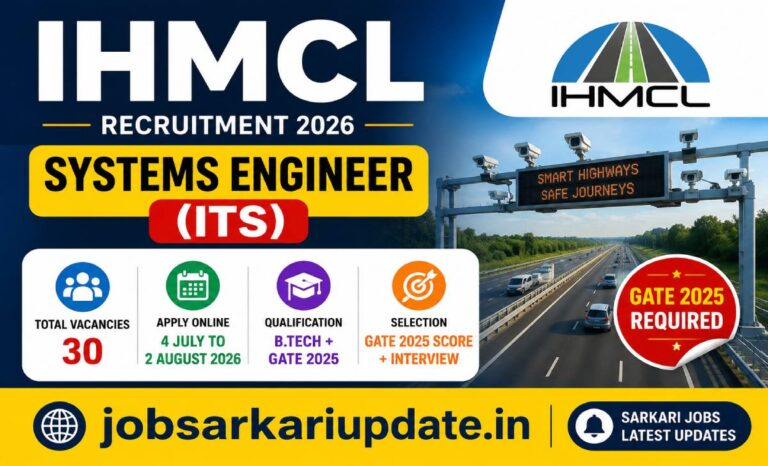
IHMCL Systems Engineer 2026 - Quick Summary: Indian Highways Management Company Limited (IHMCL) invites applications for 30 Systems Engineer (ITS)...
Read Full Details
Gujarat High Court Legal Assistant 2026 - Quick Summary: Gujarat High Court invites applications for 65 Legal Assistant posts on...
Read Full Details
Bihar Police SI Recruitment 2026 - Quick Summary: Bihar Police Subordinate Services Commission has released 150 Sub-Inspector (General Closed Cadre)...
Read Full Details
ICSIL Panel Recruitment 2026 - Quick Summary: ICSIL has released panel recruitment for Data Entry Operator, MTS & Driver posts....
Read Full Details